
Healthcare and life sciences on Snowflake: one patient view
This series covers how Snowflake® and VaultSpeed work together, one industry per post: the business problem, the architecture, and what chan…

This series covers how Snowflake® and VaultSpeed work together, one industry per post: the business problem, the architecture, and what changes once it is in place. Part 1 covered financial services and Part 2 covered healthcare and life sciences. Manufacturing adds machines, whose second-by-second data must meet the slower world of the ERP.
In short: Snowflake gives plant and supply chain teams governed, near-real-time access to shop floor, ERP and quality data, and VaultSpeed keeps the batch-matching logic, lineage and code beneath it correct. VaultSpeed's agents propose how each source maps to shared concepts such as Material and Batch, and the platform keeps reporting running plant by plant through an ERP migration. Snowflake Snowpipe Streaming lands the machine data, and Cortex Agents answer on top.
One bad night shift shows the gap. At 2 a.m., torque values on a final assembly line start drifting out of tolerance. The machine controllers and the plant historian record every cycle, the MES records the work order and lot, and inspection results sit in the quality system. None of it joins cleanly to the ERP, because each system identifies the same batch in its own way. By the morning meeting the batch has moved into finished goods, and nobody can say quickly which customer orders it touched.
The same disconnect hides component shortages in supply planning and leaves field telemetry from connected products unusable. Many manufacturers face all of this in the middle of an ERP migration such as SAP ECC to S/4HANA. Underneath sits the familiar gap: the data model and the integration code were built separately, and they drifted apart.
VaultSpeed is an agentic data modeling platform: bring AI to data modeling and automate the code. Its agents profile the shop floor, ERP, quality and dealer sources and propose how each maps to shared concepts such as Material, Batch, Serial Number, Equipment, Work Order and Supplier, and engineers and agents review each other's work.
The context store holds the data model, lineage and data products in one governed graph, and generators write the code from it as runtime-free SQL or dbt in the manufacturer's own Git. Because the platform is methodology-agnostic, a plant can keep a Data Vault for the integrated layer and generate star schemas for OEE, quality and warranty reporting on top. Teams with data models in Erwin or PowerDesigner convert them into the context store instead of starting from a blank page.
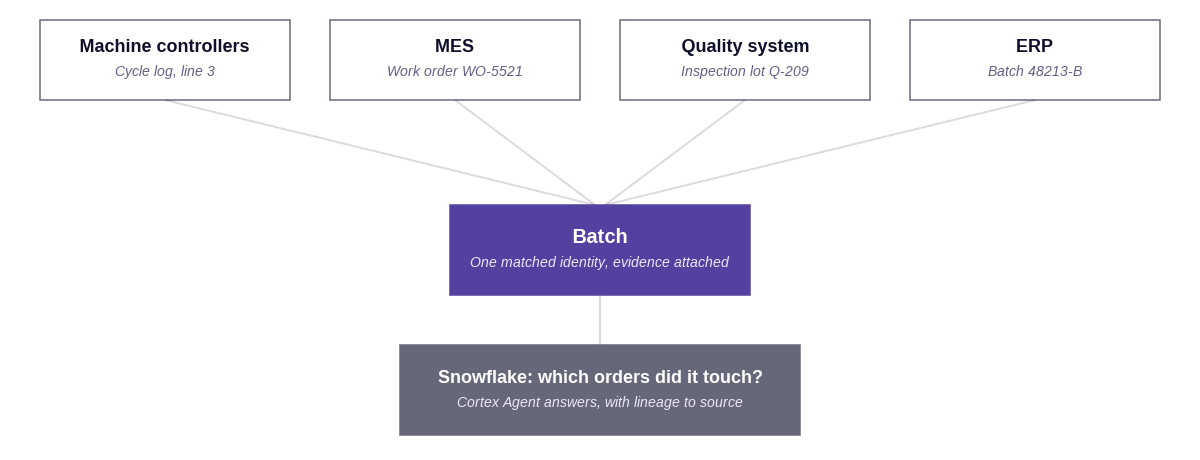
Snowflake is where that code runs and where plant and supply chain teams ask their questions. Snowpipe Streaming lands historian and telemetry data in near real time next to the integrated ERP and MES data. Semantic views define OEE, first-pass yield, scrap rate and warranty claims per thousand units once, for every plant. Cortex Agents combine Cortex Analyst over those views with Cortex Search over maintenance logs and supplier notices, so a plant manager in Snowflake CoWork (formerly Snowflake Intelligence) can ask which lots ran on that line overnight and where they shipped, and get one answer instead of three exports.
The ERP migration is where the agents earn their place. When a plant moves to S/4HANA, VaultSpeed's agents analyze the new system's structures, work out where material movements and financial postings now live, and propose the re-mapping onto the existing Material, Batch and Work Order concepts, flagging anything without a clear match.
The change report shows every affected object, the generator writes the code, and engineers and agents review it as one pull request. During cutover, the old and new ERP feed the same business keys for material and batch, so reporting carries on while plants move one at a time.

That split holds for the rest of the series: Snowflake gives people and agents governed access to the data, and VaultSpeed keeps the data model, lineage and code beneath it correct. Retail is next, where the same chain runs from the demand side.
VaultSpeed is available as a Snowflake Native App on Snowflake Marketplace, so you can install it in your own Snowflake account and start the 30-day free trial straight from the listing. To see how the agents work before you install, take a look at the platform or the VaultSpeed and Snowflake page.
Snowflake gives plant and supply chain teams governed, near-real-time access to shop floor, ERP and quality data, and VaultSpeed keeps the batch-matching logic, lineage and code beneath it correct. VaultSpeed's agents propose how each source maps to shared concepts such as Material and Batch, and Snowflake semantic views and Cortex Agents answer on top.
Agents profile the shop floor, ERP, quality and dealer sources and propose how each maps to shared concepts such as Material, Batch, Serial Number, Equipment, Work Order and Supplier. Engineers and agents review each other's work before anything ships.
Yes. When a plant moves to S/4HANA, agents analyze the new system's structures and propose the re-mapping onto the existing Material, Batch and Work Order concepts. During cutover, the old and new ERP feed the same business keys, so reporting carries on while plants move one at a time.
Snowpipe Streaming lands historian and telemetry data in near real time next to the integrated ERP and MES data. Semantic views define OEE, first-pass yield, scrap rate and warranty claims per thousand units once, for every plant.
VaultSpeed is available as a Snowflake Native App on Snowflake Marketplace. You can install it in your own Snowflake account and start the 30-day free trial straight from the listing.
This series covers how Snowflake® and VaultSpeed work together, one industry per post: the business problem, the architecture, and what chan…
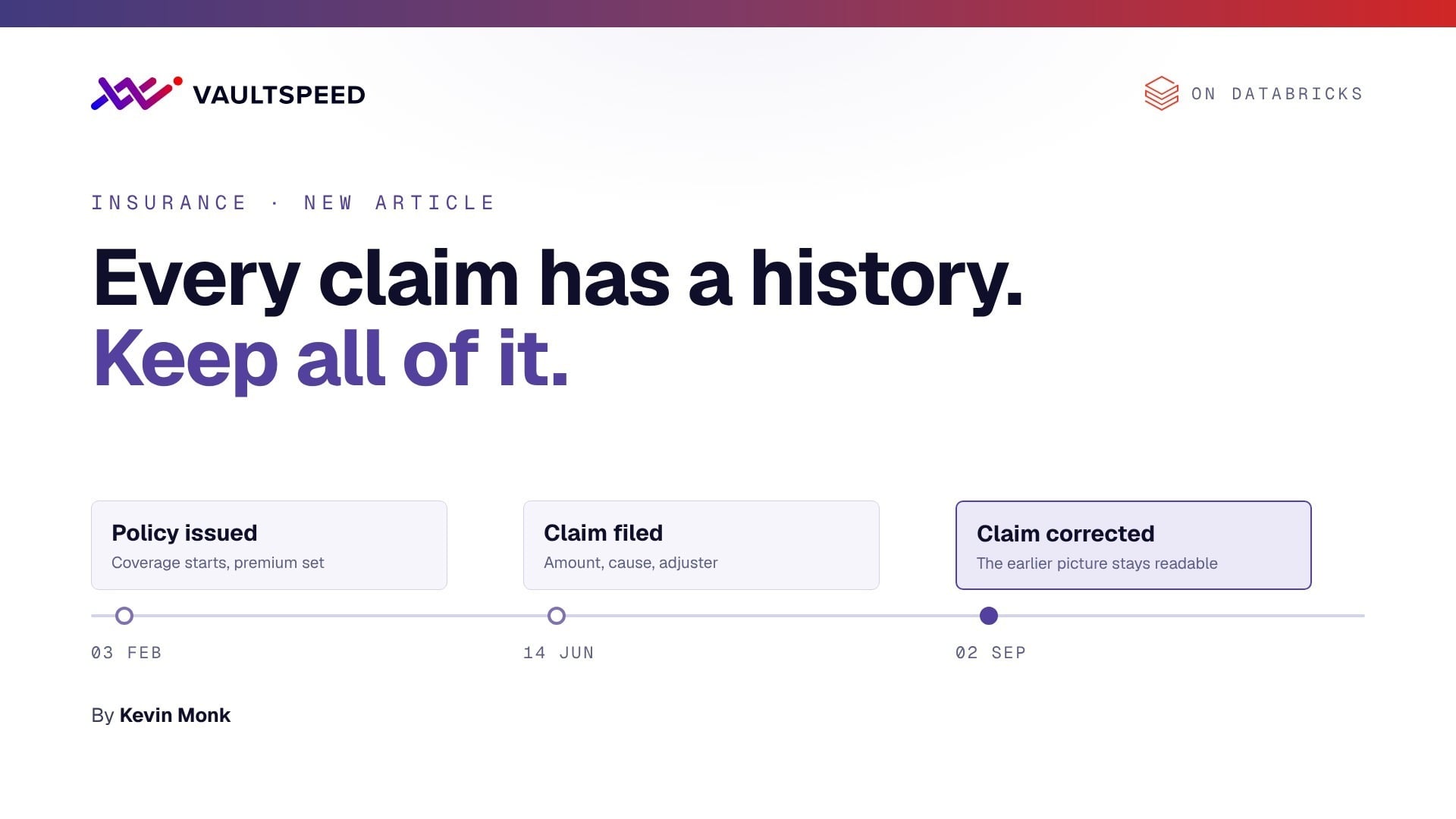
Many insurers already run analytics on Databricks. This article shows how a data model can drive the code that loads that lakehouse and keep…
This series covers how Snowflake® and VaultSpeed work together, one industry per post: the business problem, the architecture, and what chan…
Bring a source system and a question. We connect the context store to it and show you what the agents propose.
Talk to us